
动态应用图标 API
在您的 iOS WebView 应用中于运行时切换备用应用图标——由您的网页应用触发。
该 API 允许您应用的用户通过点击按钮即可更换应用图标。WebViewGold 支持在默认应用图标之外再提供最多三个备选应用图标。每当应用图标被动态更换后,用户都会在更换成功时收到通知: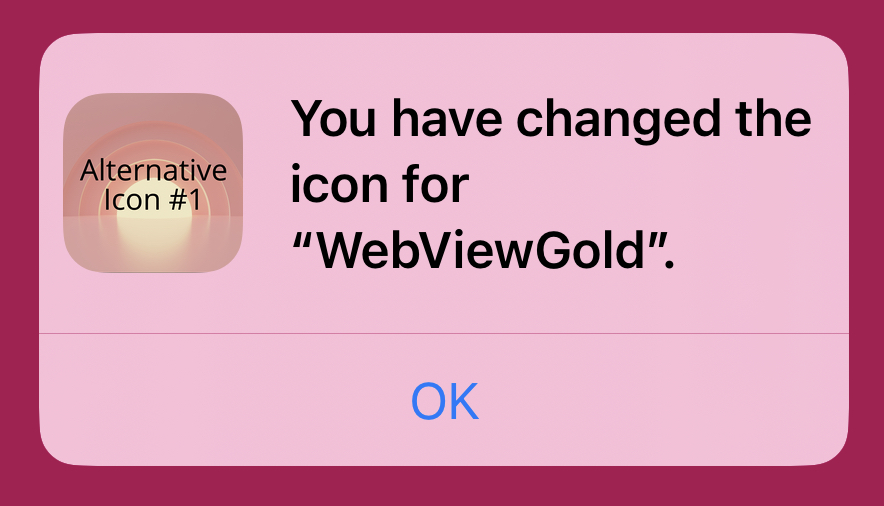
如果您希望以开发者的身份代替用户更改应用图标,可以通过发布一个安装了新应用图标的新版本应用来实现。请参阅在 WebViewGold 中更换应用图标的方法这里。
要动态更换应用图标,只需链接到以下几种 URL 之一:
<script>
// Change to Alternative App Icon 1
window.location.href = "changeicon://icon1"

// Change to Alternative App Icon 2
window.location.href = "changeicon://icon2"

// Change to Alternative App Icon 3
window.location.href = "changeicon://icon3"

// Revert to the Default App Icon
window.location.href = "changeicon://default"

</script>
点击这里查看该 API 的演示与测试页面。
要设置您的备选应用图标,请在 Finder 中打开应用文件,并导航到 WebView-Swift/WebView/ApplicationIcon/AppIconAlternate。
该文件夹中包含每个备选图标在 iOS(iPhone 和 iPad)上所需的所有应用图标模板尺寸:
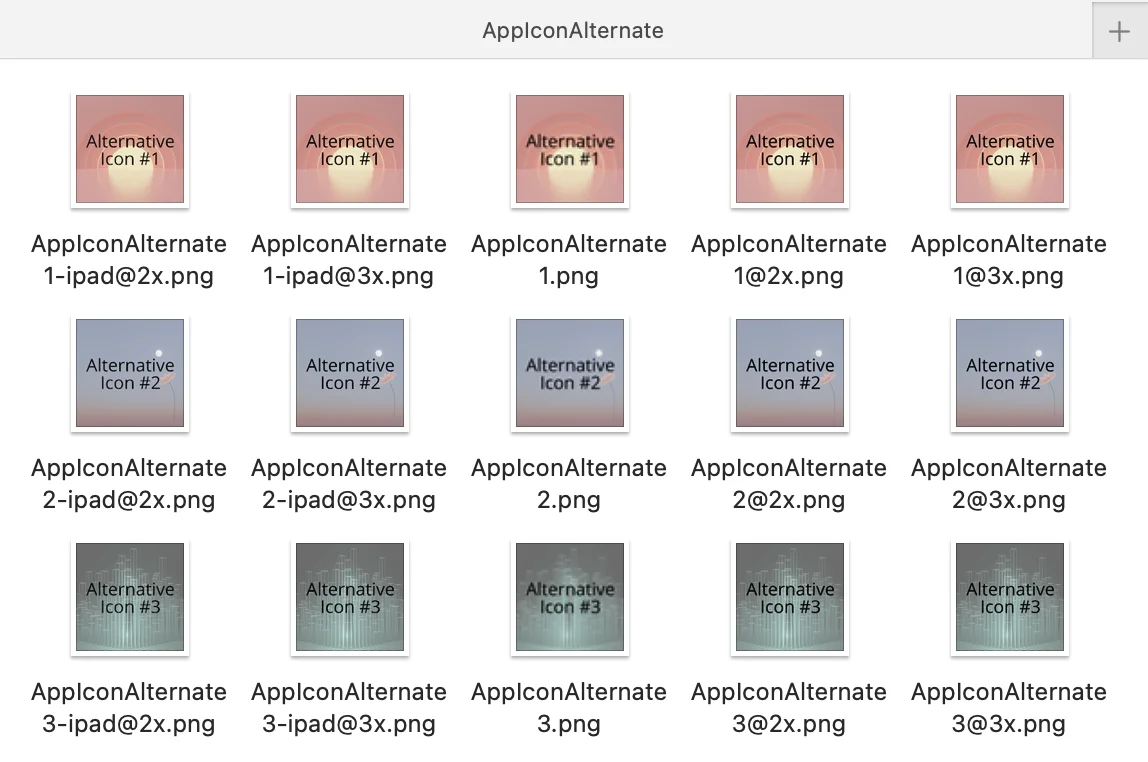
每个备选应用图标的默认名称为:“AppIconAlternate1”、“AppIconAlternate2” 和 “AppIconAlternate3”。
如有需要,您可以通过编辑 Config 文件中的 alternativeAppIconNames 变量来更改默认名称:

每个应用图标(例如 “AppIconAlternateX”)需要五种不同的尺寸,这些尺寸通过文件名后缀加以区分:
- 用于 iPhone:
- AppIconAlternateX (60x60 像素)
- AppIconAlternateX@2x (120x120 像素)
- AppIconAlternateX@3x (180x180 像素)
- 用于 iPad:
- AppIconAlternateX-ipad@2x (152x152 像素)
- AppIconAlternateX-ipad@3x (167x167 像素)
在使用您自己的图标替换这些模板图标时,请确保它们遵循相同的文件名格式(含上述后缀)并使用正确的图像尺寸。
查看关于应用图标规格的更详细指南这里。
如需启用此 API(也适用于 App Store 审核),请以源代码方式打开 Info.plist(右键点击该文件,从上下文菜单中选择 “Open As” -> “Source Code”): 在 Info.plist 中查找
<key>CFBundleIcons</key>
	<dict>
		<key>CFBundlePrimaryIcon</key>
		<dict>
			<key>CFBundleIconFiles</key>
			<array>
				<string></string>
			</array>
			<key>UIPrerenderedIcon</key>
			<false/>
		</dict>
	</dict>
并将其替换为
<key>CFBundleIcons</key>
<dict>
	<key>CFBundleAlternateIcons</key>
	<dict>
		<key>AppIconAlternate1</key>
		<dict>
			<key>CFBundleIconFiles</key>
			<array>
				<string>AppIconAlternate1</string>
			</array>
			<key>UIPrerenderedIcon</key>
			<false/>
		</dict>
		<key>AppIconAlternate2</key>
		<dict>
			<key>CFBundleIconFiles</key>
			<array>
				<string>AppIconAlternate2</string>
			</array>
			<key>UIPrerenderedIcon</key>
			<false/>
		</dict>
		<key>AppIconAlternate3</key>
		<dict>
			<key>CFBundleIconFiles</key>
			<array>
				<string>AppIconAlternate3</string>
			</array>
			<key>UIPrerenderedIcon</key>
			<false/>
		</dict>
	</dict>
	<key>CFBundlePrimaryIcon</key>
	<dict>
		<key>CFBundleIconFiles</key>
		<array>
			<string></string>
		</array>
		<key>UIPrerenderedIcon</key>
		<false/>
	</dict>
</dict>
此外,查找
<key>CFBundleIcons~ipad</key>
<dict>
    <key>CFBundlePrimaryIcon</key>
    <dict>
        <key>CFBundleIconFiles</key>
        <array>
            <string></string>
        </array>
        <key>UIPrerenderedIcon</key>
        <false/>
    </dict>
</dict>
并将其替换为
<key>CFBundleIcons~ipad</key>
<dict>
	<key>CFBundleAlternateIcons</key>
	<dict>
		<key>AppIconAlternate1</key>
		<dict>
			<key>CFBundleIconFiles</key>
			<array>
				<string>AppIconAlternate1-ipad</string>
			</array>
			<key>UIPrerenderedIcon</key>
			<false/>
		</dict>
		<key>AppIconAlternate2</key>
		<dict>
			<key>CFBundleIconFiles</key>
			<array>
				<string>AppIconAlternate2-ipad</string>
			</array>
			<key>UIPrerenderedIcon</key>
			<false/>
		</dict>
		<key>AppIconAlternate3</key>
		<dict>
			<key>CFBundleIconFiles</key>
			<array>
				<string>AppIconAlternate3-ipad</string>
			</array>
			<key>UIPrerenderedIcon</key>
			<false/>
		</dict>
	</dict>
	<key>CFBundlePrimaryIcon</key>
	<dict>
		<key>CFBundleIconFiles</key>
		<array>
			<string></string>
		</array>
		<key>UIPrerenderedIcon</key>
		<false/>
	</dict>
</dict>
这是关于备选应用图标名称及备选应用图标文件数量的默认设置。